

Game Stats - UPDATED!
HOW TO LOOK GAME DAY STATS
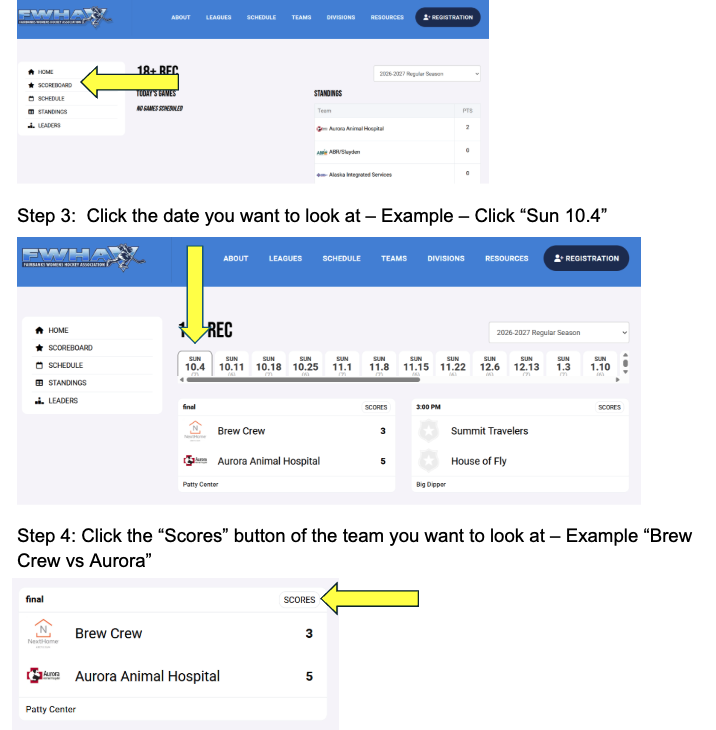
Step 1: Hover over Division; then click “18+REC”
Step 2: Click “Scoreboard”
Step 3: Click the date you want to look at – Example – Click “Sun 10.4”
Step 4: Click the “Scores” button of the team you want to look at – Example “Brew Crew vs Aurora”
If you see anything that needs editing - please email the board - fwhainfo@gmail.com.